Get Full Government Meeting Transcripts, Videos, & Alerts Forever!
Get email alerts on the Student Device Management topic
No spam. Unsubscribe anytime.
Mercer Island technology director details iPad filtering, parental controls and classroom AI use
Summary
Mercer Island School District technology director Andrew Ross told parents the district's iPads are filtered 24/7, listed teacher-monitoring tools and parental options (Apple Screen Time, OpenDNS), and described the limited classroom use of an AI tool called Magic School.
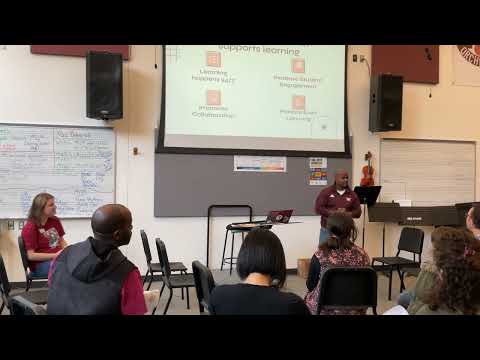
Andrew Ross, the Mercer Island School District's technology director, told parents at a district session that the district manages student iPads centrally and uses a category-based filter on devices that follows students off campus.
Ross said the district's iPads are "filtered 24/7," and that the filtering blocks categories such as adult content, gambling, gaming and social media, though he cautioned that third-party site categorization is not perfect and some sites may be misclassified. He described a process for parents to report concerns and for the district to investigate, recategorize problematic sites for all students or apply individualized controls for a single student when appropriate.
Why it matters: The district's approach aims to balance equitable access to instructional resources with protections against distraction and inappropriate content. Ross said the district's policies affect where students can access learning materials outside school and what tools teachers can use inside class.
Ross said the district does not provide full Apple App Store access on school iPads; instead, it deploys a curated app catalog chosen by instructional technology coaches to align with curriculum goals. He emphasized that technology should support student creation and personalization rather than passive consumption: "If that's truly just reading that text on screen, it's really not getting anything done. We might as well stick with paper and pencil." He named classroom tools such as Nearpod and Google Forms as examples teachers use to probe understanding.
On monitoring and classroom supervision, Ross said teachers use Apple Classroom and other teacher-monitoring applications that allow staff to see student screens, direct students to a single app and manage activity in class. He acknowledged that students can find workarounds and that monitoring and family supervision remain important: "Technology filtering is never 100%. It does not take the place of supervision."
Parents' options and district supports: Ross urged guardians to set expectations at home, place devices in common areas, and use built-in tools such as Apple Screen Time to view reports and limit device availability by schedule. He also mentioned third-party options (OpenDNS, Exfinity) that can extend home network filtering. If a parent reports a problem, the district can run web-activity reports, troubleshoot the behavior, and apply tailored restrictions, including disabling device features (for example, a camera) for an individual student when needed.
Communication and email policy: Ross said the district previously enabled broader student-to-student email but restricted it after misuse; parents can send email to their children's school accounts and the district maintains a controlled domain (student addresses at MISD400.org). Teachers may enable monitored group communication spaces for class use.
AI and instruction: Ross described a community AI work group that helped set values for classroom AI use. He said the district allows an instructional AI tool called Magic School when teachers intentionally open it for classwork; teachers can review submitted prompts and responses to manage privacy and guard against plagiarism. "When the teachers open up that class, that's the only time that students can access it," he said.
Media access by level: Ross said YouTube is blocked at the elementary level, restricted at middle schools with teacher-requested playlists allowed, and available at the high school; teachers can request specific videos to be unblocked for instructional use.
Next steps and resources: Ross said he will share slides and resources with the district administration and IMS team and pointed parents to the district website for instructions on setting up Screen Time and other controls. He encouraged parents to contact teachers, counselors or the tech team for help with persistent issues.
The session concluded with a brief question-and-answer period and an invitation for parents to follow up with the technology team.