Get Full Government Meeting Transcripts, Videos, & Alerts Forever!
Get email alerts on the Grants Portal topic
No spam. Unsubscribe anytime.
EEA webinar walks applicants through the ECO One Stop grants portal and key deadlines
Summary
The Executive Office of Energy and Environmental Affairs walked applicants through the ECO One Stop Grants Management System, explaining MyMassGov business account setup, primary contact rules, consultant access, document upload guidance, and the application submission deadline of 11:59 PM on March 20.
Bill Hinkley, with the Executive Office of Energy and Environmental Affairs, opened a webinar on using the agency’s new Grants Management System for the ECO One Stop and outlined account setup, application flow and a firm submission deadline.
The presentation and live Q&A were intended to help municipalities, nonprofits, regional planning agencies and consultants use the portal to apply to multiple member programs through a single application. Hinkley and his panel explained that applicants must use a MyMassGov business or organizational account, complete an organizational profile, and designate a single primary contact who will receive automated application notifications.
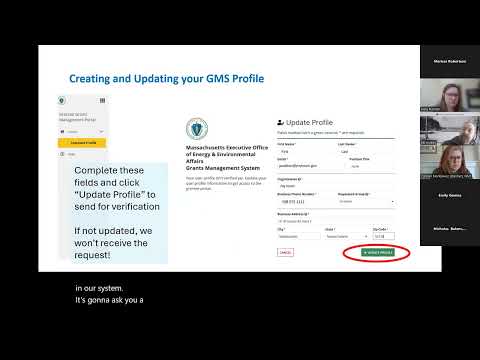
Hinkley told attendees, “My name is Bill Hinkley and I’m with the Executive Office of Energy and Environmental Affairs,” and later emphasized finality of submissions: “You can’t go back and edit. You can’t go back and change, you can’t go back and update” once an application has been submitted. The panel also said the system will validate new profiles—typically within hours but possibly taking one to two days during heavy volume—so applicants should not wait until the last minute to begin.
Key technical and process guidance from the webinar:
- Accounts and login: Use a MyMassGov business/municipal/nonprofit account (not a personal or state-employee login). Individual users should each have their own MyMassGov account and be linked to the same organizational profile so activity is tracked by time, date and user.
- Application workflow: Complete the seven 'core questions' (shared with all selected programs) then answer program-specific sections. Use the Next button to record progress and Save Draft; drafts appear in the My Applications portal and will expire if not submitted by the deadline but remain in the system for at least one year per the Secretary of the Commonwealth Document Retention Schedule.
- Primary contact and submitting entity: The application must be started and submitted by the entity that would receive and hold the grant contract. Consultants and partners may be invited to collaborate but cannot substitute as the lead applicant unless authorized and documented in the application.
- Consultants and partners: Consultants should create their own grantee profile and may request to join the consultant group so organizations can add them to applications. EEA can add consultants on request, or organizations can designate organizational administrators who manage user access.
- Uploads, files and exports: There is no built-in PDF export of a completed application (panelists recommended copying and pasting responses into a word processor to save a copy). The portal supports inline uploads with no hard limit on number of files; large engineering plans should be compressed to ease upload. Hyperlinks are not accepted inside response fields; paste full HTTP URLs if needed.
- Security and concurrency: The system supports multi-factor authentication (authenticator apps or SMS codes) and enforces an exclusive edit lock: only the person actively editing an application may make changes; others can view but must wait until the editor saves and exits.
- Deadline: The panel stated that the ECO One Stop application and member program applications will automatically close at 11:59 PM on March 20; after that time applications cannot be reopened and submitted records cannot be changed.
The session closed with instructions to visit the Mass.gov ECO One Stop page for recorded video, slide decks, question-and-answer postings, and user guides; technical questions were to be routed to the ECO One Stop email address listed on the site. Hinkley said staff will continue validating profiles after the webinar and will post public responses to frequently asked technical questions.
The presentation focused on practical instructions and portal functionality rather than policy changes or funding decisions; no motions or votes were recorded during the session.