Get Full Government Meeting Transcripts, Videos, & Alerts Forever!
Get email alerts on the Gemini Payroll Reporting topic
No spam. Unsubscribe anytime.
Teachers' Retirement System presenter details Gemini payroll data fields and reporting rules
Summary
A presenter from the Teachers' Retirement System Board of Trustees walked employers through Gemini's required member-record fields — demographics, employment information, earnings and contributions, timekeeping and contact info — stressing correct coding (e.g., employment begin/end dates, payment-reason codes, deferred-pay flags) to avoid upload errors and protect service credit.
A presenter from the Teachers' Retirement System Board of Trustees walked employers through the Gemini data fields they must complete when uploading member payroll records, stressing that incorrect or mismatched fields will generate upload errors and may affect members' service credit and contributions.
The presenter, who identified himself during the session as Dominic, told employers that each upload contains individual member records divided into five sections — demographics, employment information, earnings and contributions, timekeeping and contact information — and that all dates and codes must match the employer’s payroll schedule and software settings. "If they have a name change, if they get married, we will automatically update that based upon the information that you are giving us," he said, adding that social security number changes require a copy of the member's Social Security card.
Why it matters: Accurate coding determines whether members receive correct service credit, whether TRS or members owe contributions, and whether files will upload without errors. The presenter emphasized multiple points that commonly cause rejections or end-of-year manual fixes, including employment begin/end dates, payment-reason codes, and the treatment of deferred pay.
Key requirements and clarifications
Demographics and identification: Employers should rely on the employer-provided name fields for automatic updates of name changes. For social security number changes, the presenter said, "we do need a copy of their social security card if you need to change the social security number." TRS will not change SSNs without that documentation.
Employment dates and types: The employment-begin date must be the first day a member physically worked in a TRS-covered position, not the hire date; returning retirees or employees with a full-year gap need a new begin date. Employment-end date must be the last day actually worked (including paid vacation or sick days), not the last paycheck date; if an end date is entered, employers must provide an employment-end reason (use "terminated" for all reasons except death).
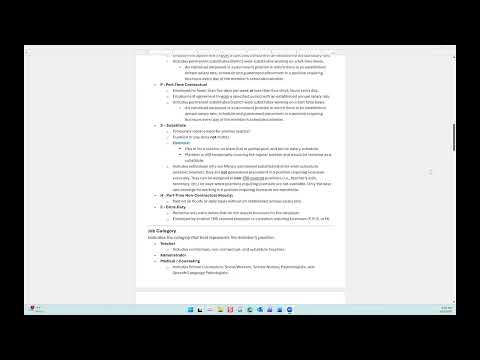
Employment types and job categories: Employers must select the correct employment type (full-time, part-time contractual, substitute, hourly, extra duty E). The presenter clarified examples: full-time is typically Monday–Friday with four or more clock hours per day and an employment agreement (commonly 180 days for teachers); part-time contractual and permanent substitutes should be coded according to contract terms; substitutes filling temporarily for another member must be coded as substitutes even when they work extended stretches.
Earnings and contribution coding: The full annual rate should reflect the base salary if the member worked a full year and must be carried on related records; board-paid TRS (9%) must be included and should be auto-calculated by payroll software. Payment-reason codes must identify the source of earnings (base salary, licensed extra duty LE, extra duty, summer school SS, lump sum LS, tax-sheltered TX, sabbatical SB, unpaid leave LA, military leave ML). The presenter warned that employer-defined-contribution fields now require zero and that mis-coding will cause upload errors.
Deferred pay and fiscal year: Employers should mark the deferred flag "yes" when a record contains no days and the earnings are for work performed in another time frame (for example, paychecks representing the prior school year). Only the current fiscal year may be uploaded; prior-year corrections (such as a missed coaching stipend) must be handled by contacting TRS for manual correction.
Timekeeping and service credit: Timekeeping fields capture days and hours within the pay period. Doc days (docked days) are reported on base-salary records only and must be combined and reported as whole-day equivalents (two decimal places where needed). "A day is a day is a day," the presenter said, illustrating how to count halves and combinations for days paid. Service credit counts Monday–Friday only; weekend work generally does not count.
Post-retirement work: For retired members doing licensed work, report post-retirement hours only for licensed activities; the maximum reported per day is five hours even if the retiree worked more.
Resources and next steps: The presenter closed by directing employers to Gemini resources, training slides and tutorials on the TRS website for step-by-step guidance and encouraged employers to keep contact information current so TRS can send updates.
The session was instructional and did not include formal motions or votes. Employers with specific data issues were instructed to consult the TRS employer guides or contact TRS for manual corrections to previous fiscal years.