Get Full Government Meeting Transcripts, Videos, & Alerts Forever!
Get email alerts on the Parcel Viewer Update topic
No spam. Unsubscribe anytime.
Presenter demonstrates updated online parcel viewer
Summary
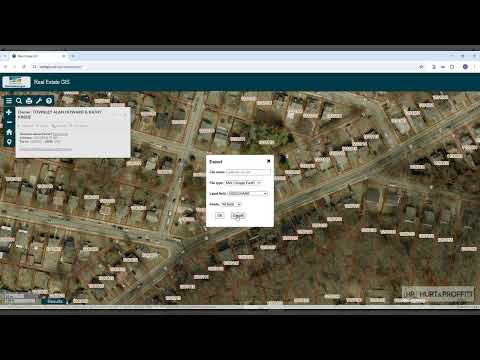
A presenter demonstrated updates to an online parcel viewer, including tax-ID search, a 'joiner' to select adjacent parcels, export options (including Google Earth), a print dialogue for formatted maps, relocated report cards, and Pictometry opening in full screen.
A presenter demonstrated updates to an online parcel viewer, showing how to search by tax ID, zoom to a selected parcel, and share the view. "I'm just going to click on the tax ID, and I'm just going to paste this item in, and I just hit enter," the presenter said while walking through the search process.
The demo showed interface controls for examining a parcel in place and for deeper inspection. After selecting a row, clicking anywhere on that row "is going to zoom to this parcel and share it," and users can refine the view by using the mouse wheel to zoom in.
The presenter described the parcel popup box and its controls, explaining users can collapse and re-expand the popup to manage screen space. A set of buttons at the top of the popup includes a "joiner" function: "this would basically select all the um parcels that are touching this parcel," allowing selection of adjacent parcels for batch operations.
Export and printing options were demonstrated. "You can export this uh particular parcel in various different options. So we have a Google Earth option," the presenter said, noting there are export parameters available. The print popup lets users change width and height in a dialogue before generating a formatted map for quick printing.
For more granular data, the presenter pointed to an additional control for deeper parcel details, advising users to "click this click additional partial information" for more detailed records. The presenter said the updated interface "mimics your current website very closely," so most elements should be familiar, though the location of some items has changed.
Report cards have been relocated in the layout; the presenter said users can click them to open the same report process as before. "Pictometry has been moved to here in this list. When you click on that, that will open up the pictometry site and its interface. That interface did not change," the presenter added, noting Pictometry opens full screen on its own site.
The demonstration focused on user-facing navigation and output options; no policy actions or formal votes were part of the session.