Get email alerts on the Digital Plan Room topic
No spam. Unsubscribe anytime.
How to submit plans using Pasco County’s Digital Plan Room
Summary
Pasco County’s Digital Plan Room uses a three-step upload, sheet-versioning and review workflow. The system validates files during upload, extracts and consolidates sheet numbers, and requires unique sheet numbering before final submission.
Pasco County staff described a three-step process for submitting plans and supporting documents through the county’s Digital Plan Room: upload files, confirm sheet versioning, and complete a final review and submission.
The first step requires applicants to upload plan files and supporting documents. Users can either click Browse to select files from their computer or drag and drop files into the upload box. After adding files, applicants must choose a document type for each file and click the Upload and Validate button. The system validates files during upload and flags common problems—corrupted files, encrypted or password-protected files, and issues with digitally signed or sealed documents—so applicants receive immediate feedback and can remove rejected files using the trash-can icon and reupload corrected versions.
Applicants may see a requirements checklist in their submittal. Items listed in the red "Required" section must be included to complete the review package; items marked Recommended or Informational point to additional documentation that may be needed now or later. If a file was categorized under the wrong document type, users can change it with the pencil icon and the file will revalidate against the newly selected document type.
The second step, sheet versioning, consolidates identified pages into a single plan set and tracks unique sheets across review cycles. The Digital Plan Room attempts to extract sheet numbers first from a PDF table of contents (bookmarks), then from page labels or text directly on the sheet, and finally via image-recognition for scanned title blocks. Presenters advised that including a table of contents in each plan file (sheet number followed by a space and optionally a sheet title) helps the system capture sheet numbers accurately and automatically. If the system cannot capture a sheet number, applicants must correct it during the sheet-versioning step.
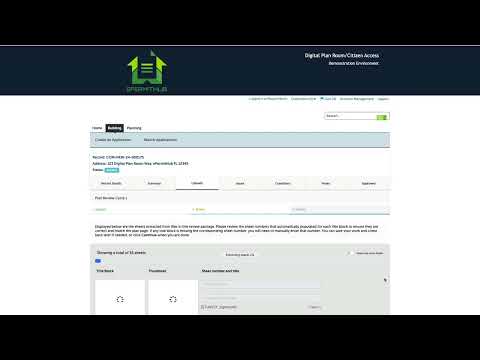
Two requirements must be met before proceeding from sheet versioning: every sheet must have a sheet number assigned, and all sheet numbers must be unique. The interface shows thumbnails of the title block and the full sheet, the file name from which a sheet was extracted, and a total-sheet count to help users verify accuracy. Users can filter to only show sheets with errors, manually correct sheet numbers, and rotate sheets that are in the wrong orientation.
The final step is a review of the full submission. Applicants can add a description for their review package, check the package for completeness, use the edit button to correct missing files or other problems, and click Finish to update the application to indicate the plans and supporting documentation have been submitted.
AI generated
The text on this page is AI generated. Summaries, highlights, analysis, and video transcripts are all produced from the original source material.
AI can make mistakes, so if you spot one, and we will fix it for everyone.
Note: the source content is unaltered by us. Any content source we link to, be it a video, an audio recording, or a document, is presented exactly as its publisher released it. That publisher is usually a government body, sometimes an individual official or another organisation.