Get email alerts on the Building Permits topic
No spam. Unsubscribe anytime.
Pasco County tutorial: how to submit corrected plans in the online portal
Summary
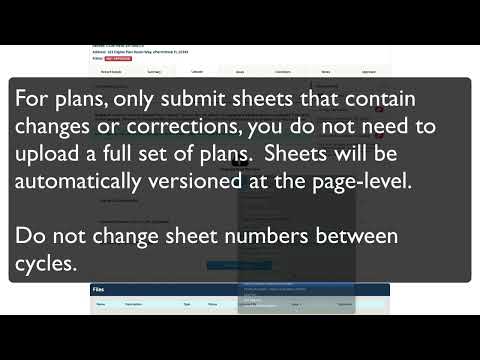
Pasco County staff explained how applicants should upload corrected plan sheets and supporting documents after answering plan-review issues in the county’s online portal, including guidance to upload only revised sheets, keep sheet numbers unchanged, and use the portal’s side-by-side thumbnail comparison.
Pasco County staff explained step-by-step how applicants should submit corrected plans and supporting documents through the county’s online plan-review portal after answering all open issues.
The county’s tutorial said applicants must first answer every open item in the Issues tab; once all issues are answered, the portal will display a notice that the applicant can upload corrected plan sheets and supporting documents on the Uploads tab. Applicants should click the resume link beside the newest review package to continue a resubmittal.
Staff advised applicants to upload only the sheets that contain changes rather than reuploading an entire set. The tutorial warned that changing sheet numbers between review cycles prevents the system from matching new files to their previous versions. When new and previous versions are available, the portal displays two columns of thumbnails — the new version on the left and the previous version on the right — to help users confirm they submitted the corrected sheet.
If sheet numbers change slightly, the portal will identify similarly numbered sheets and prompt the user to accept a recommended sheet-number match. The tutorial recommended including bookmarks or a table of contents in each plan file with sheet numbers and titles to improve the portal’s ability to locate and match sheets automatically.
Before final submission, users move to a review step that checks whether any sheets with attached issues are missing from the submittal; the portal will alert the applicant if action is required. After the final verification, applicants must click the finish button to submit the corrected review package. The tutorial noted that the initial review package — the original plans and documents submitted with the application — remains available on the Uploads tab, and subsequent correction submittals appear as review package numbers 2, 3, 4, etc., corresponding to the plan-review cycle number.
The tutorial provided procedural guidance only; it did not change any permit requirements or timelines and did not include a deadline for resubmittal.
AI generated
The text on this page is AI generated. Summaries, highlights, analysis, and video transcripts are all produced from the original source material.
AI can make mistakes, so if you spot one, and we will fix it for everyone.
Note: the source content is unaltered by us. Any content source we link to, be it a video, an audio recording, or a document, is presented exactly as its publisher released it. That publisher is usually a government body, sometimes an individual official or another organisation.