Get Full Government Meeting Transcripts, Videos, & Alerts Forever!
How to complete Boyle County's Statement of Financial Interests (SOPHIE) online
Summary
A step-by-step summary of Boyle County's SOPHIE online filing: choose the correct filing type (annual, new appointee, amendment), report incomes and interests exceeding specified thresholds, disclose conflicts, sign and submit. Contact: ethics@boylecountyky.gov.
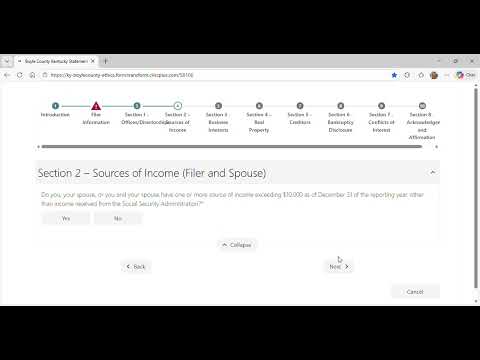
Unidentified Speaker, a member of the Boyle County Ethics Commission, demonstrates how to complete and submit the county's online Statement of Financial Interests form (SOPHIE).
The video walks filers through choosing a filing type, entering personal and employment information, and disclosing income and interests that meet the county's reporting thresholds. The presenter emphasizes timing and validation steps: "So we always have to file it in January for the previous year even if we only are serving for part of the year," and shows the form's error checks that prevent submission until required fields are completed.
Filing type and timing are front and center. The tutorial lists three filing options: annual filing (the most common), a filing for new hires or appointees, and an amendment for mid‑year changes. The presenter shows selecting "annual filing" and explains that if an officeholder…
Already have an account? Log in
Subscribe to keep reading
Unlock the rest of this article — and every article on Citizen Portal.
- Unlimited articles
- AI-powered breakdowns of topics, speakers, decisions, and budgets
- Instant alerts when your location has a new meeting
- Follow topics and more locations
- 1,000 AI Insights / month, plus AI Chat